

Creating an account in a new AI tool can sometimes feel confusing, especially if you have never tried an advanced tool before. Many people want to use Google’s smart assistant called Gemini but feel unsure about the steps involved. This guide will help you feel comfortable and confident as you take your first steps. It is built with kindness, clarity, and friendly explanations so readers of all ages and skill levels can enjoy it.
Throughout this blog, you will notice simple language, a calm pace, and clear steps. You will also see helpful tips that make everything easier. This guide is perfect if you want to understand how to create a Gemini AI account or if you want a soft and supportive start using AI for the first time.
Starting the Journey with Gemini AI
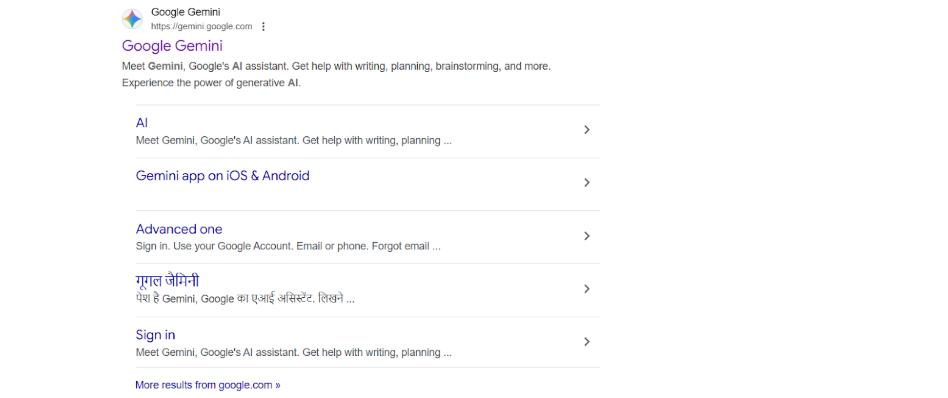
Gemini is a powerful AI tool created by Google. It can chat with you, answer questions, explain ideas, and help with many daily tasks. When people hear about its abilities, they often think it might be too complicated. But the truth is different. Anyone can start using it with a little guidance, which is why this article focuses on Gemini AI for beginners in a warm and friendly way.
You do not need technical knowledge. You just need a device, an internet connection, and a few minutes. Once you go through the Gemini AI registration guide included here, everything will make much more sense. You will be surprised by how smooth the experience can be.
Why You Should Create an Account Today
Gemini can support you in schoolwork, job tasks, creative thinking, daily planning, and much more. Many people use it to save time, reduce stress, or simply explore new ideas. If you follow the steps in this article, you will be fully prepared for your first conversation with the AI.
Another reason to consider setting up your account now is that Google designed the process to be safe and simple. With proper Google Gemini account setup support, you get access to useful features without confusion. Just follow along and you will feel confident.
Also Read: How AI Will Impact Jobs By 2026 As Per Experts Predictions
Understanding What You Need Before You Begin
Before starting, it helps to know what is required. You must have a Google Account. This is usually the same as your Gmail address. If you do not have one yet, Google will prompt you to create it during the process. This is normal and only takes a few moments.
You might also want to think about how you plan to use Gemini. Some people use it for fun, some for learning, some for creativity, and some for problem solving. No matter what your reason is, this guide will support you. The goal is to help you feel sure about how to get access to Gemini AI in the simplest possible way.
A Look at the Gemini AI Sign Up Experience
The moment you arrive at the website, the system will guide you step by step. The Gemini AI sign up process is built to be smooth. You click a button, log in with your Google Account, agree to the terms, and then the tool opens in front of you. Within seconds, you can type your first question and get a thoughtful answer.
The best part is that you can also use Gemini on your phone. If you want something portable, you can download the app or enable Gemini inside the Google App. This makes the experience even more convenient. With so many options available, you can enjoy using the tool anywhere.
Supportive Setup Process for Users
Below is the only heading in this entire blog that includes bullet pointers. Each pointer is written in long, detailed form to help you feel calm and supported throughout your journey.
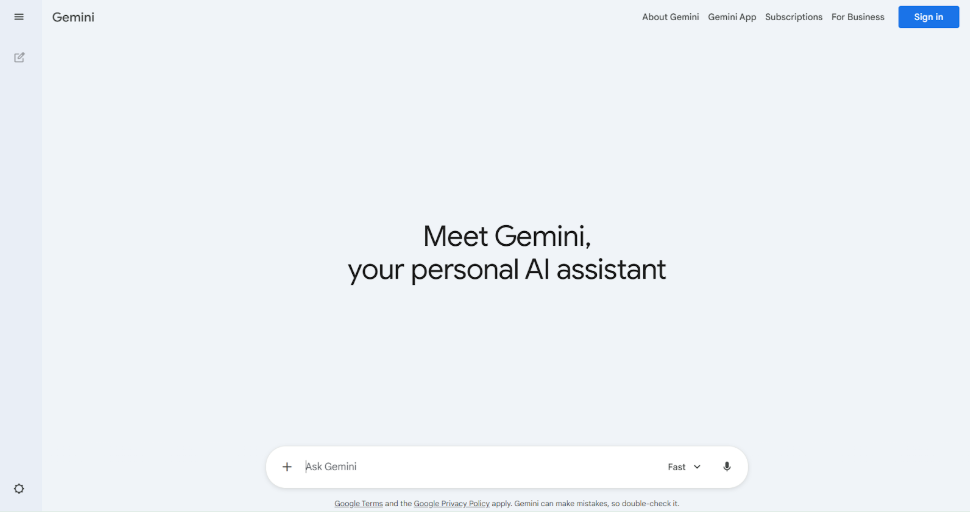
- When you begin the Google Gemini account setup process, it helps to take a slow and relaxed approach. Open your device and type gemini.google.com into your browser. The page loads quickly and shows a clean design with a friendly layout.
You will see a button that asks you to sign in. This is the first step that brings you closer to understanding how to get access to Gemini AI in a gentle and stress free way. If you are using a personal Google Account, the page will automatically recognize it and prepare the next step for you. Every moment of this process has been made simple on purpose so people of all ages can move forward without fear or confusion.
- Once you click the sign in button, the website asks you to log in with your Google Account. This is normal and easy. If you already have a Gmail address, you simply enter it. If not, Google gives you the chance to create a new account within seconds.
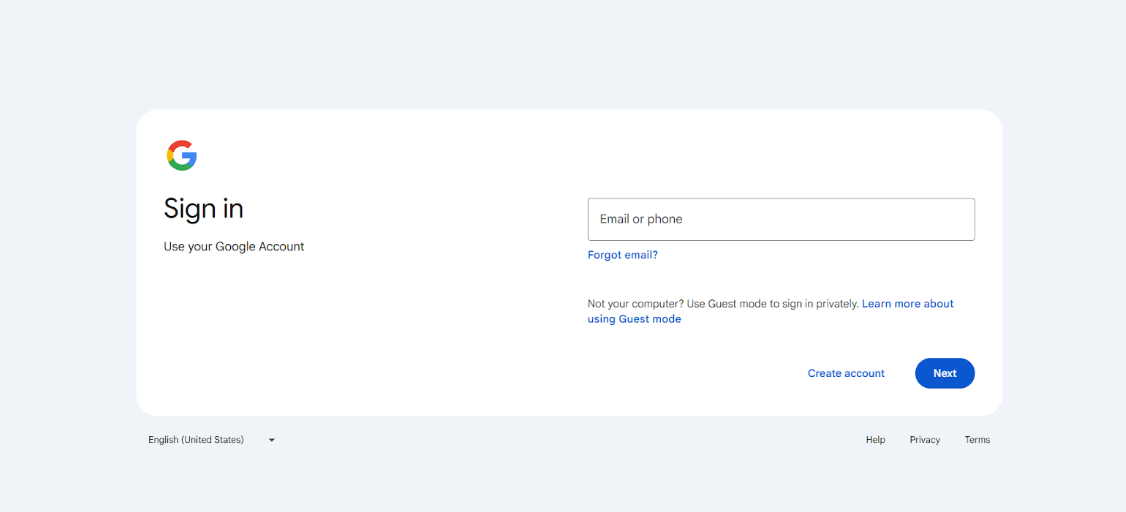
This step is important because the system needs to connect your identity to the AI. It does this to keep your experience safe. When you follow the Gemini AI sign up process, you will notice that nothing feels complicated. Everything happens slowly and clearly, giving you time to breathe. By the end of this step, you will see how simple it is to create a free Gemini AI account without any stress.
- After signing in, you will see a box that displays Google’s Terms of Service. This part might look serious, but do not worry. All you need to do is read or scroll through the text and click the agree button. Once you confirm, the platform welcomes you.
This is one of the final steps in the Gemini AI registration guide, and it also helps you understand the responsibilities of using AI safely. The system reminds you that you can always come back later to review the terms. Everything is designed to keep you comfortable. When you finish this part, you will immediately move closer to completing the whole setup.
- The moment everything is confirmed, the main Gemini screen opens. A text box appears at the bottom of the page, inviting you to type your first message. This is where the fun begins. You can ask a simple question, request help with homework, or start a creative conversation.
The system responds quickly with clear and friendly messages. This is where Gemini AI for beginners becomes truly magical because everything feels welcoming. If you want to use the tool on your phone, you can open the app and sign in the same way, making it easy to continue your conversations anywhere you go.
- When you start exploring the tool, you will realize how helpful it can be. The layout supports your eyes, the text is easy to read, and the buttons are simple to understand. Even if you have never tried an AI tool before, you will instantly feel comfortable. Google designed Gemini to support your everyday life. You can ask questions about homework, jobs, travel ideas, or personal reflections.
Using this system also helps you understand how to create a Gemini AI account in a deeper and more confident way because you see the results immediately.
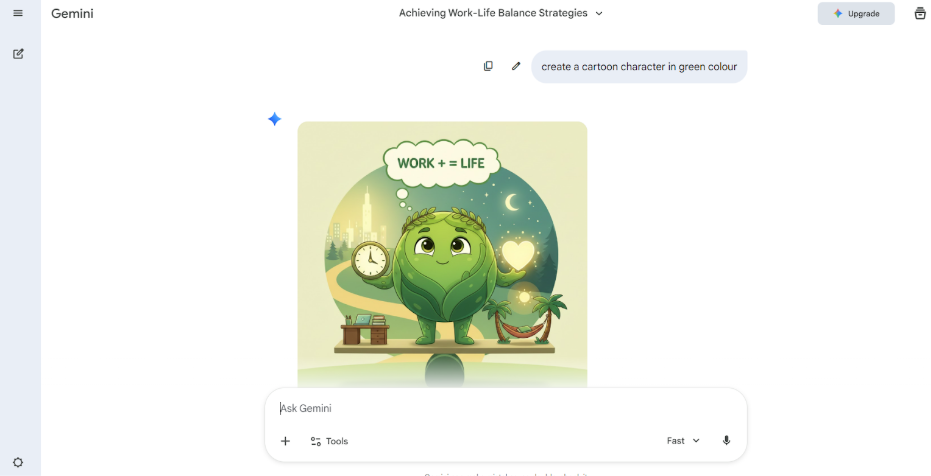
- As you continue using the tool, you may also discover new features slowly. Gemini can create images, explain confusing information, help with writing, and support deep research. These features do not require any special skills. You simply type what you want.
This brings comfort to every user because it reminds them that AI is not meant to replace people. Instead, it is meant to support them and make life easier. When you use these features regularly, the entire Google Gemini account setup feels worth it, and you gain more respect for what technology can do.
- With time, you may develop your own style of chatting with Gemini. Some people type short questions. Others type long detailed messages. Both are perfectly fine. The AI adjusts to your tone and preferences.
It also becomes easier to remember that you followed simple steps to create a free Gemini AI account and that those steps opened the door to endless possibilities. Every session makes you feel more familiar with how the tool works, and your confidence grows.
- As your comfort with the tool increases, you may want to help others who are new to AI. You can guide your friends or family by sharing what you learned in this Gemini AI registration guide.
Remind them that patience and simplicity are all they need. Encourage them to take the first step and assure them that everything will feel natural once they begin. This act of support can inspire others to learn, grow, and enjoy the helpful world of AI.
Also Read: The Best AI Productivity Tools for Marketers, Consultants, and Startups
Putting It All Together
Now that you understand the journey, you can see that everything about setting up Gemini is meant to be easy. Whether you are setting it up for school projects, work tasks, creativity, or fun, the process remains simple. If you ever forget how to do something, you can return to this friendly guide and review the steps.
The important thing is to remember that using Gemini is safe and helpful. The Gemini AI sign up process is designed for comfort. The way to create Gemini AI account steps are short. And the entire way to get access to Gemini AI experience is gentle and calm.
Conclusion
Creating a Gemini account does not have to be confusing or stressful. With clear steps, soft guidance, and a simple design, anyone can start using the tool within minutes. Whether you want to create a free Gemini AI account or simply understand how everything works, this guide was made for you. Use it at your own pace, trust the process, and enjoy your first steps into the world of AI with confidence.
Frequently Asked Questions
Q1. What is the simplest way to start the Google Gemini account setup?
A1. The simplest way is to visit gemini.google.com, click the sign in button, and use your Google Account to continue. After that, accept the terms and begin using the tool.
Q2. How long does the Gemini AI sign up process take?
A2. Most people finish the process in just a few minutes. It mainly involves signing in and agreeing to the terms before the main page opens.
Q3. Can beginners follow this Gemini AI registration guide easily?
A3. Yes. The guide uses simple language and gentle explanations so anyone, including beginners, can follow it without confusion.
Q4. Do I need to pay to create a free Gemini AI account?
A4. No. You can use the regular version for free. Some special features may have subscription options, but basic access does not cost anything.
Q5. What if I do not know how to get access to Gemini AI on my phone?
A5. You can download the Gemini app from your device’s app store or open the Google App and enable the Gemini feature from there.